Updating CAMRIS User Access
Flagged for merging
The October 2026 audit recommends merging this page with a sibling (see AUDIT.md). The content stands until then.
What this page tells you
To change which studies a CAMRIS user can access: on the Path BioResource site go to Lab Manager > Davis, Kathryn A. > List Projects > Manage Studies/Protocols, check or uncheck boxes per study, then hit Save Assignments. Includes screenshots.
Path BioResource Website- https://pathbio.med.upenn.edu/pbr/secure/assign.php
- Choose 'Lab Manager' from the tab on the left side of the screen
-
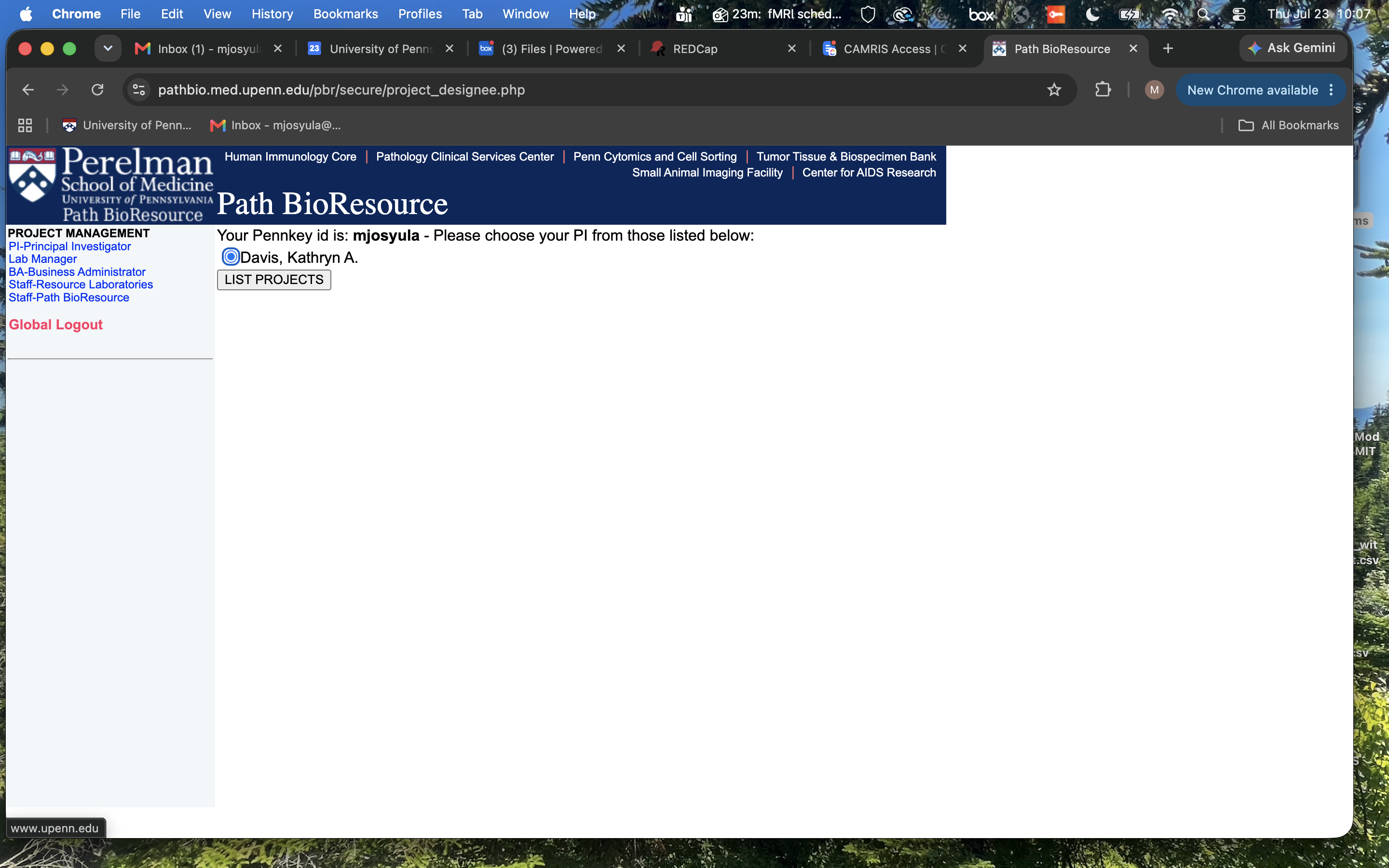
Highlight the 'Davis, Kathryn A.' bubble
-
Hit 'List Projects' bubble
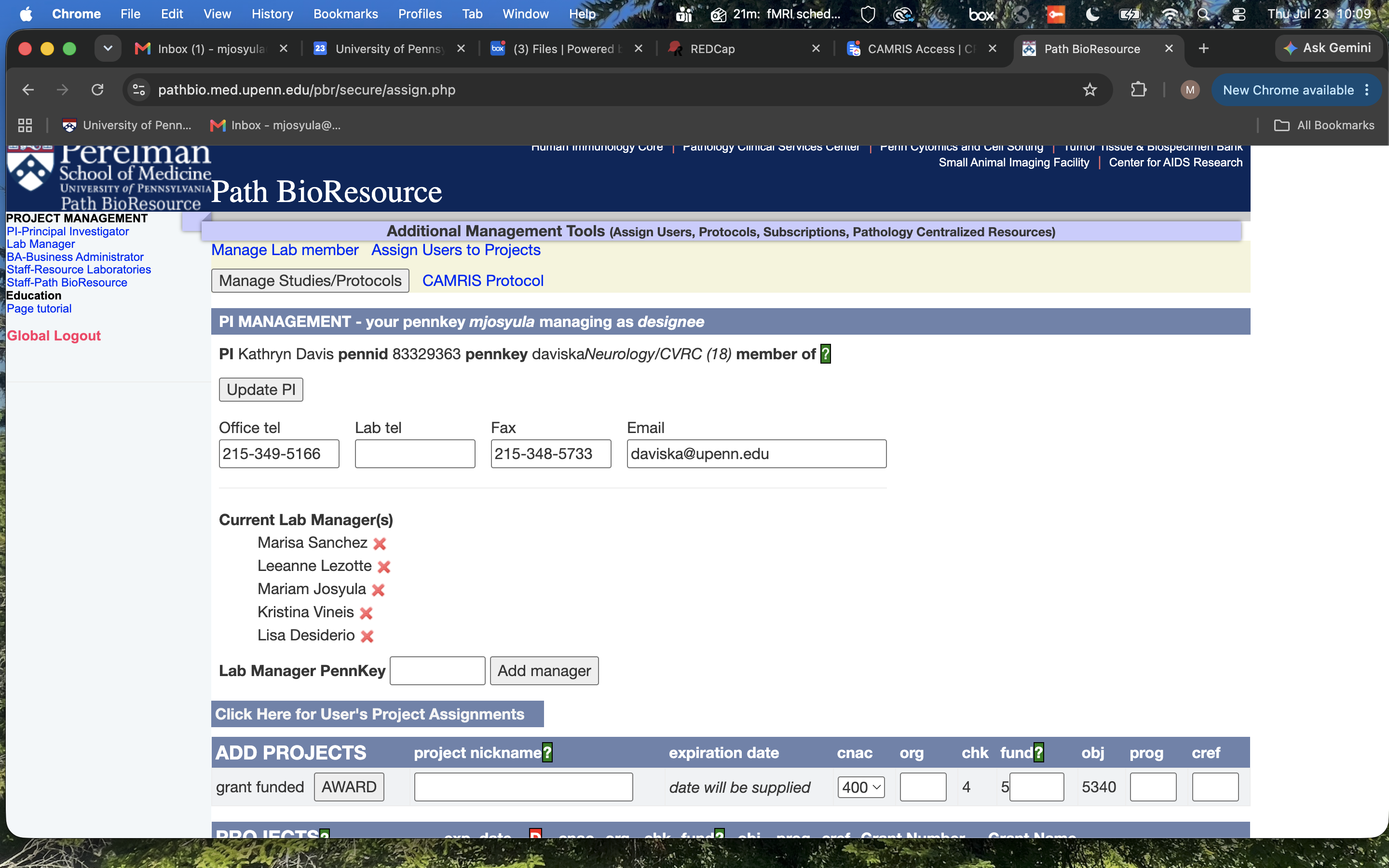
- Under 'Path BioResource' there will be a yellow box
-
Select the 'Manage Studies/Protocols' textbox
-
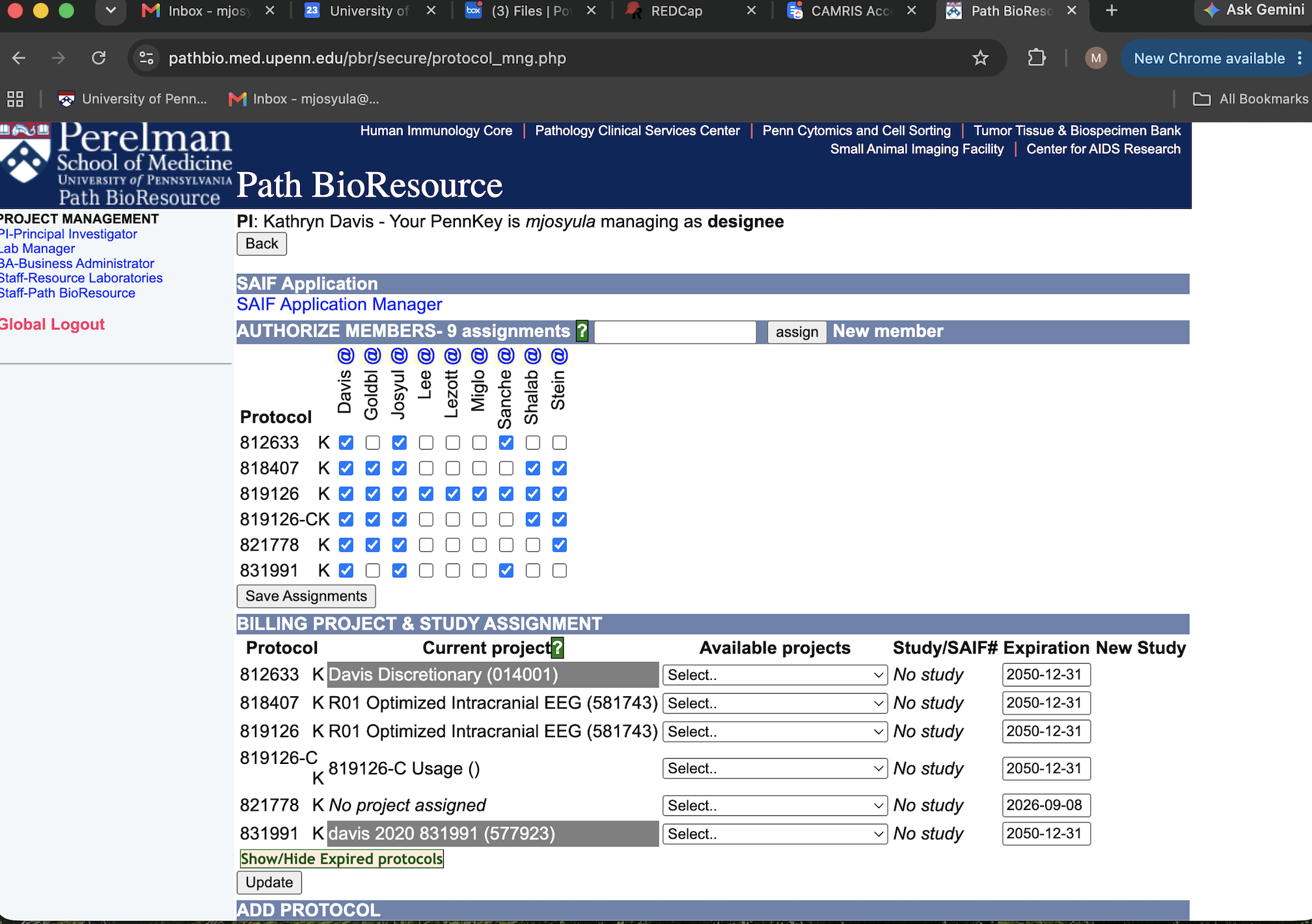
Now you will see this view
-
Hover over the column to see the individual's full name
- Uncheck/check a box if you want to remove/add
- When finalized, hit 'Save Assignments' at the bottom of the columns/rows
- This will update who has access to which studies