Triggering REDCap Scale Invites
What this page tells you
The Friday before surgical conference, add a REDCap record per presented patient (fellow/attending, patient name/MRN, conference date) and mark the prep_epileptologists and prep_post instruments Complete; this schedules the pre-conference (Tuesday 8am) and post-conference (Thursday 4pm) scale emails. Verify in the Survey Invitation Log.
Overall setup-
-
Cat, Gabby, or Mariam will trigger the pre- and post-conference scale invites on the Friday the week before surgical conference
- The pre-conference scale is set to be automatically sent on the Tuesday the week of surgical conference @8am
- Until the clinicians complete the scale, they will receive reminders Wednesday/Thursday @8am
- The pre-conference scale is set to be automatically sent on the Tuesday the week of surgical conference @8am
-
- The post-conference scale is set to be automatically sent on day of surgical conference (Thursday) @4pm
* Unless the clinicians complete the scale, they will receive an additional reminder Friday @12pm
- The post-conference scale is set to be automatically sent on day of surgical conference (Thursday) @4pm
Friday
Pre-Conference Scale Information-
- Gabby sends out who will be presenting at Thursday surgical conference on the prior week's Friday
- Information needed for trigger: patient, patient's MRN, fellow, attending, date of surgical conference
Pre-conference scales (repeat steps for each patient being presented)-
REDCap Project: Quantitative MRI for Epilepsy Surgical Planning (Epilepsy)
-
-
-
- choose 'add/edit records' under data collection on the left of the REDCap screen
* choose '+ Add new record'
* go into the 'prep_epileptologists' instrument by clicking the white circle
- choose 'add/edit records' under data collection on the left of the REDCap screen
-
-
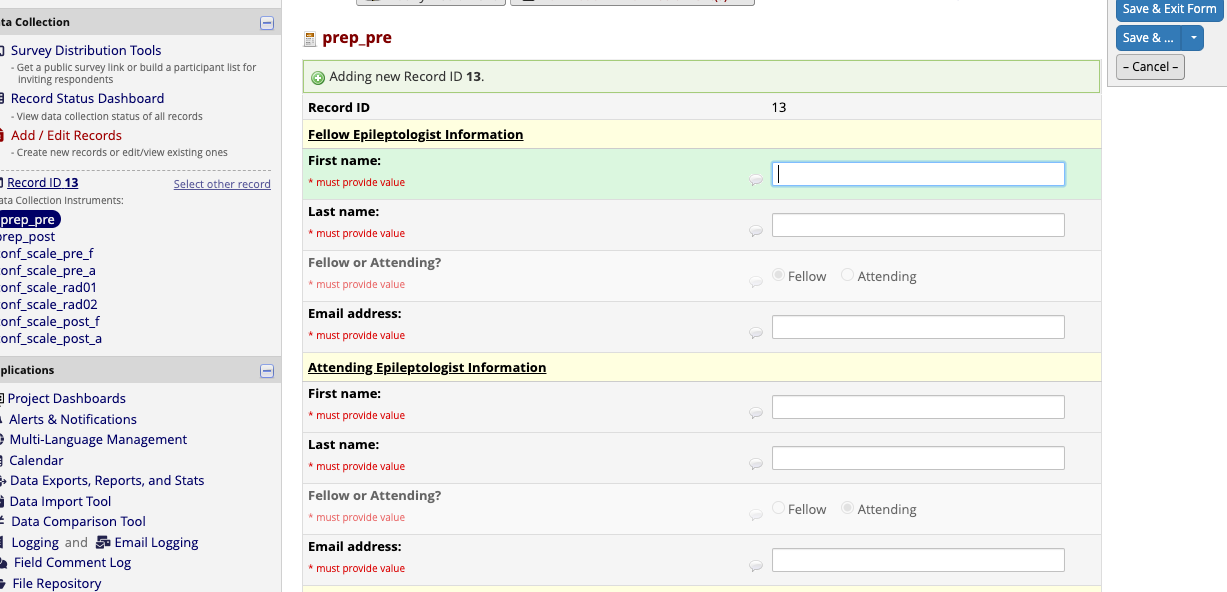
- Fellow Epileptologist Information + Attending Epileptologist Information
* enter in full first/last name and then email
- Fellow Epileptologist Information + Attending Epileptologist Information
-
1. 1. **Radiologist #1 Information and Radiologist #2 Information**
        *   pre-filled, no action required
*add screenshot once finalized*
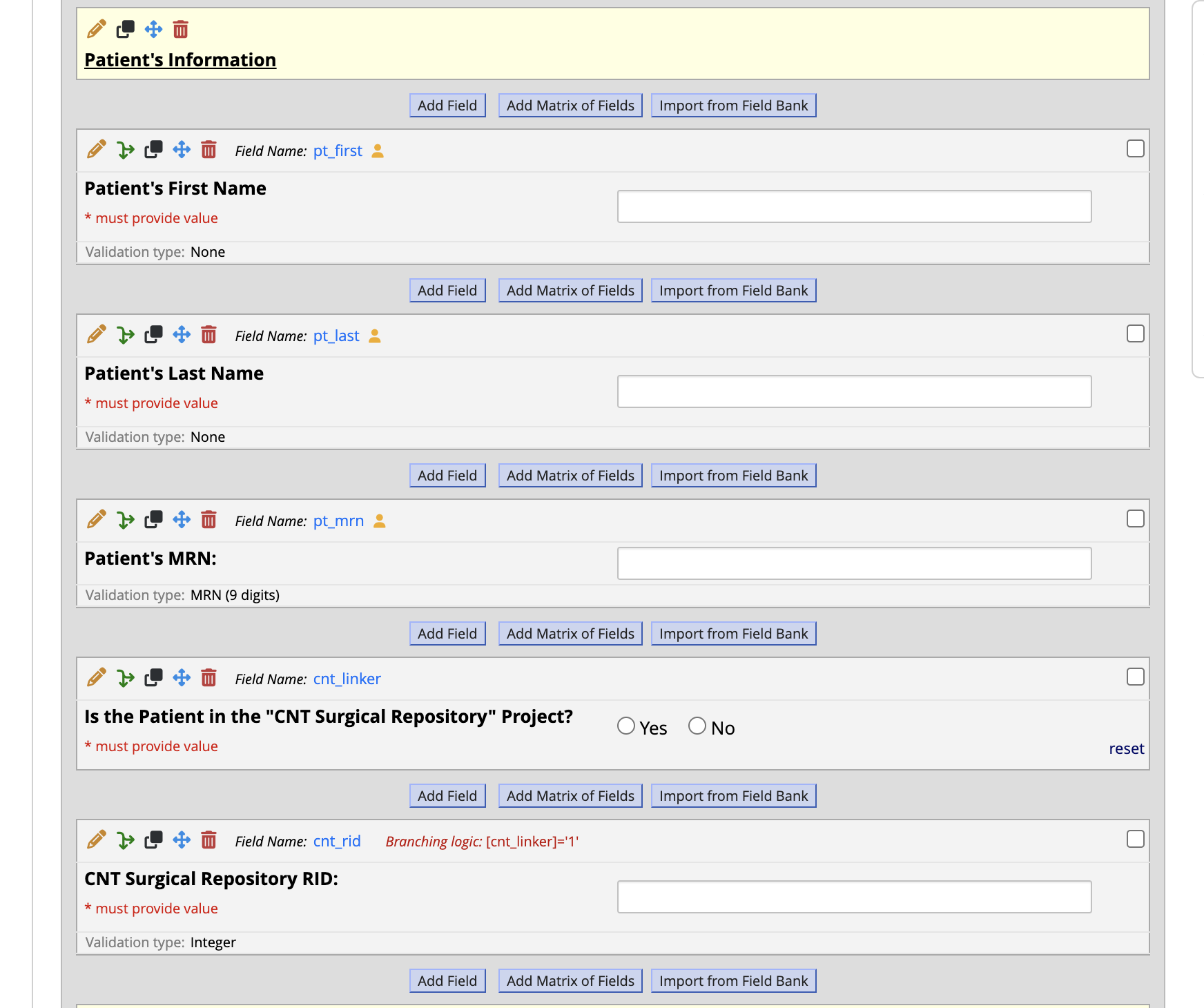
1. 1. **Patient's Information**
        *   enter patient's full first name
        *   enter patient's full last name
        *   enter patient's MRN
        *   Mariam can check 'CNT Surgical Repository' project (can be done at a later time if needed)- not sure you all have access to ALL patients in this project
1. 1. **Surgical Conference Date**
        *   enter the date of Thursday's surgical conference

1. 1. **Triggering Pre-Conference Scale Invites**
        *   At the bottom of the instrument, select 'Complete' in the dropdown, then click 'Save & Exit Form.'
        *   This is required for REDCap to email the scale invites

1. 1. **Triggering Post-Conference Scale Invites**
        *   Go to the 'prep\_post' instrument
            *   all the fields are embedded from the pre-conference scale instrument so no need to fill anything out
        *   At the bottom of the instrument, select 'Complete' in the dropdown, then click 'Save & Exit Form.'
        *   This is required for REDCap to email the scale invites Thursday @4pm
ALL DONE! 🙀
Survey Checks
- To check if the surveys are being sent as scheduled, go into the RID#
- Choose 'Choose action for record'
- Choose 'Survey Invitation Log'
- Now you can view future notifications and when they will be sent
- You can also choose 'View past invitations' at the trop left next to 'Survey Invitation Log' to see what has already been sent